 arch3rPro
Introduction
n8n is a scalable workflow automation tool. With a fair-code distribution model, n8n will always have visible source code, enabling self-hosting and allowing you to add your own custom functions, logic, and applications. Its node-based approach makes it highly versatile, allowing you to connect anything to everything.
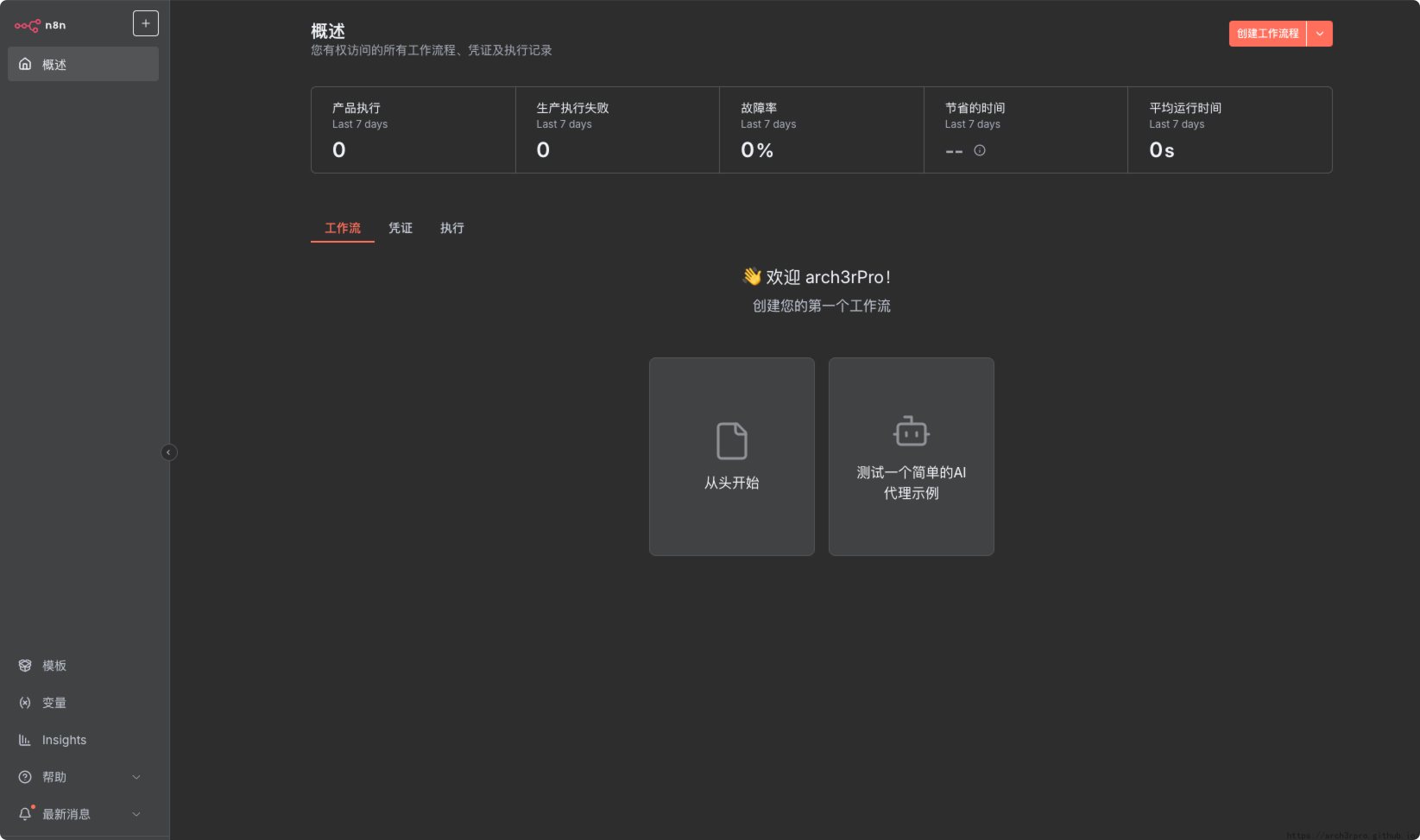
This version includes Chinese localization package, displaying the interface in Chinese after installation, providing a better user experience for Chinese users. The localization files are sourced from the open-source project n8n-i18n-chinese.


Features
- Workflow Automation: Create automated workflows through a visual interface, connecting various apps and services.
- Supports Multiple Applications: Offers a wide range of integration nodes for apps and services like Google Sheets, Slack, GitHub, Twitter, and more.
- Flexible Triggers and Actions: Supports event-based triggers and various actions, enabling workflows to respond to specific events and perform related tasks.
- Conditions and Loops: Add conditional logic and loops to workflows to handle more complex processes.
- Custom Code Execution: Incorporate custom JavaScript code into workflows to implement advanced logic and processing.
- Self-Hosting: Host n8n on local or cloud servers to ensure data security and privacy.
- Version Control: Export workflows as JSON files for version control and backups.
Chinese Localization
This version includes integrated Chinese localization package with the following features:
- Automatic Localization: Automatically downloads the corresponding version's Chinese language pack during installation
- Interface Localization: Complete Web interface displayed in Chinese
- Node Translation: All workflow nodes and properties have Chinese translations
- Fallback Mechanism: If localization files fail to download, it automatically falls back to English version
Custom Script Execution Instructions
To implement localization functionality, this application includes the following custom scripts:
Configuration File Locations
- Localization files storage location:
./editor-ui/directory - Script files location:
./scripts/directory
Replacement Steps
-
Initialization Script (
init.sh): Executed during application installation- Automatically downloads the corresponding version's localized UI files
- Extracts and deploys to the specified directory
- Provides warnings and continues with English version if download fails
-
Upgrade Script (
upgrade.sh): Executed during application upgrade- Cleans up old version localization files
- Re-downloads new version localization files
-
Uninstall Script (
uninstall.sh): Executed after application uninstallation- Cleans up all localization-related files
Operation Examples
After application installation, you can verify if localization is working by:
- Accessing the n8n Web interface
- The interface should display in Chinese
- If displayed in English, check container logs for localization file download errors
- If permission errors (EACCES) occur, the initialization script will automatically set correct directory permissions
Notes
- Localization files are sourced from the open-source project n8n-i18n-chinese
- Localization file versions must strictly correspond to n8n versions
- To replace with custom localization files, you can replace files in the
./editor-ui/directory - Initial installation requires network connection to download localization files
- Container needs permissions to download files (wget or curl)
- Initialization script automatically sets data directory permissions to resolve file write permission issues
- Container runs with UID 1000 to ensure proper data directory access