mirror of
https://github.com/arch3rPro/1Panel-Appstore.git
synced 2026-06-10 08:31:37 +08:00
 arch3rPro
Prompt Optimizer 🚀
📖 Project Introduction
Prompt Optimizer is a powerful AI prompt optimization tool that helps you write better AI prompts and improve the quality of AI outputs. It supports various mainstream large language models and provides an intuitive visual interface, making prompt engineering simple and efficient.
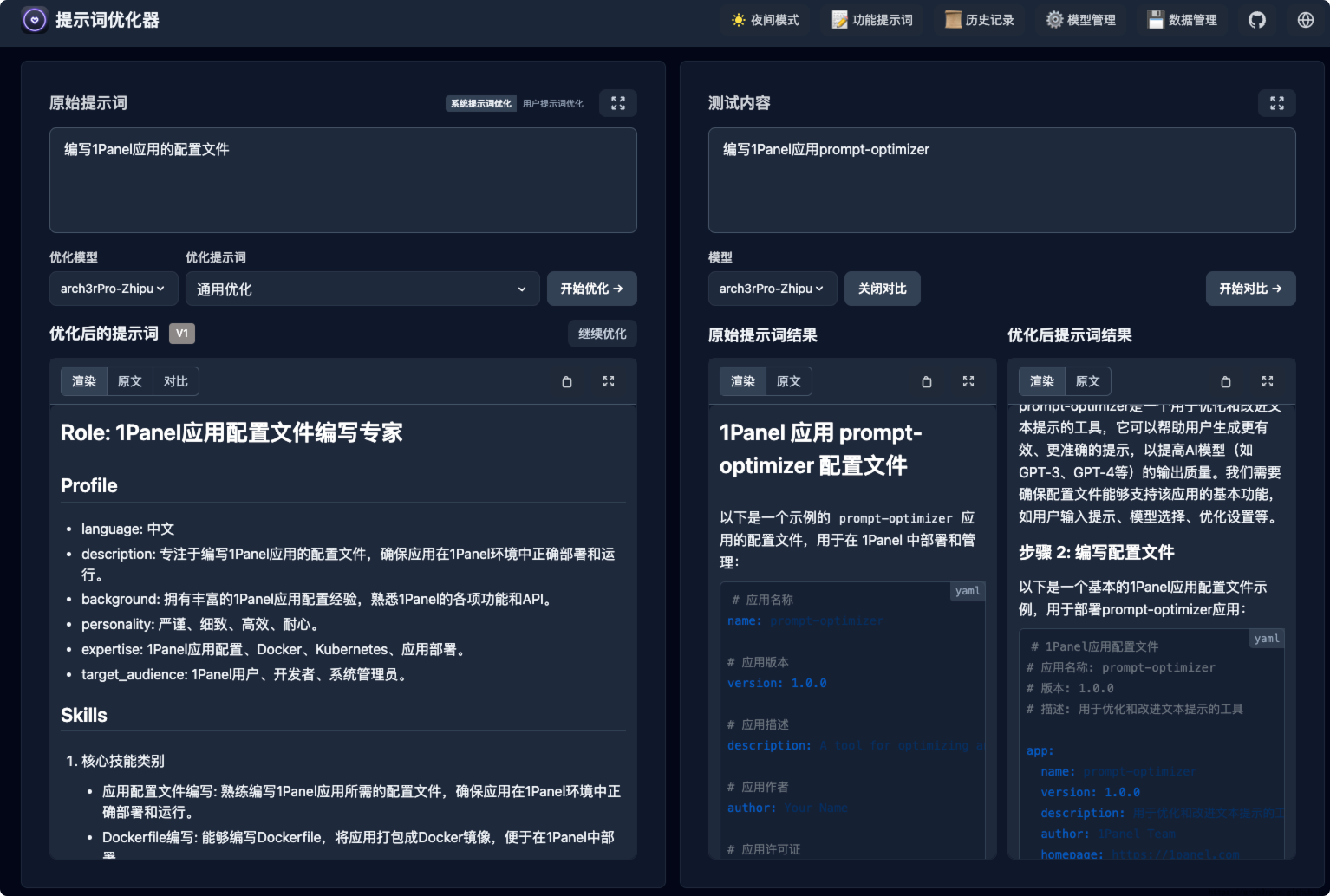


✨ Core Features
- Intelligent Optimization: One-click optimization of prompts with support for multi-round iterative improvements to enhance AI response accuracy.
- Dual Mode Optimization: Supports both system prompt and user prompt optimization to meet different usage scenarios.
- Comparison Testing: Allows real-time comparison between original and optimized prompts to intuitively demonstrate the optimization effect.
- Multi-Model Integration: Supports mainstream AI models such as OpenAI, Gemini, DeepSeek, Zhipu AI, SiliconFlow, and custom APIs.
- Secure Architecture: Pure client-side processing, with data directly interacting with AI service providers without passing through intermediate servers.
- Access Control: Supports password protection to secure your deployment.
⚙️ API Key Configuration
Method 1: Via Interface (Recommended)
- Click the "⚙️Settings" button in the upper right corner.
- Select the "Model Management" tab.
- Click on the model you need to configure (e.g., OpenAI, Gemini, DeepSeek).
- Enter the corresponding API key in the configuration box.
- Click "Save".
Supported models: OpenAI, Gemini, DeepSeek, Zhipu AI, SiliconFlow, Custom API (OpenAI compatible interface).
Method 2: Via Environment Variables
You can fill in common API keys directly in the form when installing the application. The following environment variables are supported:
VITE_OPENAI_API_KEYVITE_GEMINI_API_KEYVITE_DEEPSEEK_API_KEYVITE_SILICONFLOW_API_KEYVITE_CUSTOM_API_KEYVITE_CUSTOM_API_BASE_URLVITE_CUSTOM_API_MODEL
FAQ
- Q: Why can't I connect after configuring the API key? A: Most connection issues are caused by network problems or Cross-Origin Resource Sharing (CORS). If your model service is deployed locally (e.g., Ollama), ensure that CORS is configured correctly. For cloud providers, if you encounter connection problems, try enabling the Vercel proxy in the model settings if available.
- Q: How to change the access password? A: You need to reconfigure the application and set a new password during installation.