mirror of
https://github.com/arch3rPro/1Panel-Appstore.git
synced 2026-06-10 08:31:37 +08:00
 arch3rPro
OpenDeepWiki
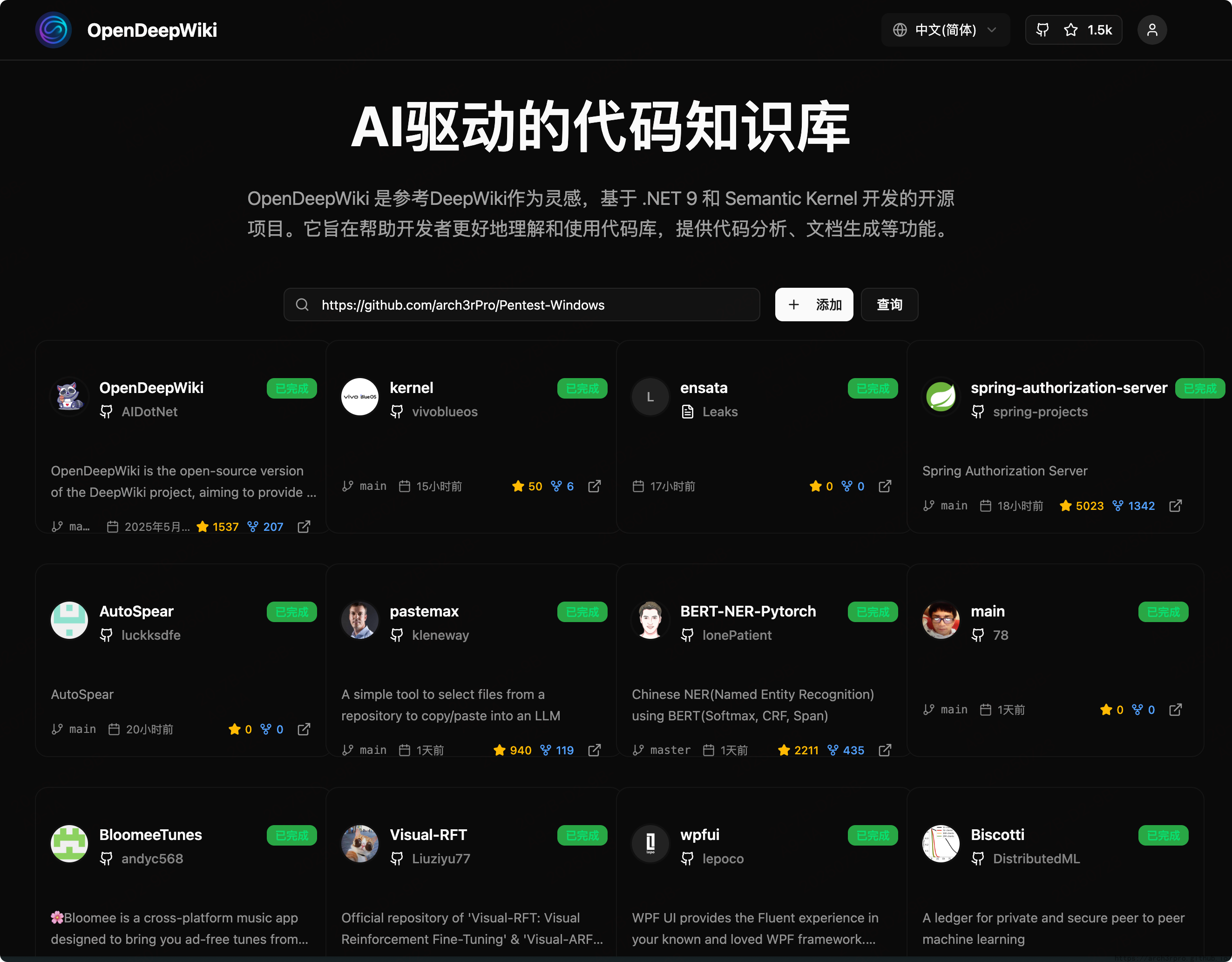
AI-driven Code Knowledge Base


Features
- Quick Conversion: Convert all code repositories (GitHub, GitLab, Gitee, Gitea, etc.) into knowledge bases within minutes.
- Multi-language Support: Analyze and generate documentation for all programming languages.
- Code Structure Diagrams: Automatically generate Mermaid diagrams to help understand code structure.
- Custom Model Support: Support for custom models and APIs for flexible extension.
- AI Intelligent Analysis: AI-based code analysis and relationship understanding.
- SEO Friendly: Generates SEO-friendly documentation and knowledge bases based on Next.js.
- Conversational Interaction: Chat with AI to get detailed code information and usage.
Feature List
- Multiple code repositories (GitHub, GitLab, Gitee, Gitea, etc.)
- Multiple programming languages (Python, Java, C#, JavaScript, etc.)
- Repository management (CRUD)
- Multiple AI providers (OpenAI, AzureOpenAI, Anthropic, etc.)
- Multiple databases (SQLite, PostgreSQL, SqlServer, MySQL, etc.)
- Multiple languages (Chinese, English, French, etc.)
- Upload ZIP and local files
- Data fine-tuning platform
- Directory-level repository management
- Repository directory modification
- User management (CRUD)
- User permission management
- Generate fine-tuning datasets for different frameworks
Project Introduction
OpenDeepWiki is an open-source project inspired by DeepWiki, developed with .NET 9 and Semantic Kernel. It helps developers better understand and utilize code repositories, providing code analysis, documentation generation, and knowledge graph construction.
Main features:
- Analyze code structure
- Understand repository core concepts
- Generate code documentation
- Automatically generate README.md for code
- Support MCP (Model Context Protocol)
MCP Support
OpenDeepWiki supports the MCP protocol:
- Can serve as a single repository MCPServer for repository analysis.
Example configuration:
{
  "mcpServers": {
    "OpenDeepWiki":{
      "url": "http://Your OpenDeepWiki service IP:port/sse?owner=AIDotNet&name=OpenDeepWiki"
    }
  }
}
- owner: Repository organization or owner name
- name: Repository name
After adding the repository, you can test by asking questions like "What is OpenDeepWiki?", as shown below:

This way, OpenDeepWiki can serve as an MCPServer for other AI models to call, facilitating analysis and understanding of open-source projects.
🚀 Quick Start
- Clone the repository
git clone https://github.com/AIDotNet/OpenDeepWiki.git
cd OpenDeepWiki
- Modify environment variables in
docker-compose.yml:
- OpenAI example:
services:
  koalawiki:
    environment:
      - KOALAWIKI_REPOSITORIES=/repositories
      - TASK_MAX_SIZE_PER_USER=5 # Maximum parallel document generation tasks per user for AI
      - CHAT_MODEL=DeepSeek-V3 # Model must support function calling
      - ANALYSIS_MODEL= # Analysis model for generating repository directory structure
      - CHAT_API_KEY= # Your API Key
      - LANGUAGE= # Default generation language, e.g., "Chinese"
      - ENDPOINT=https://api.token-ai.cn/v1
      - DB_TYPE=sqlite
      - MODEL_PROVIDER=OpenAI # Model provider, supports OpenAI, AzureOpenAI, Anthropic
      - DB_CONNECTION_STRING=Data Source=/data/KoalaWiki.db
      - EnableSmartFilter=true # Whether to enable smart filtering, affects AI's ability to get repository file directories
      - UPDATE_INTERVAL # Repository incremental update interval in days
      - MAX_FILE_LIMIT=100 # Maximum upload file limit in MB
      - DEEP_RESEARCH_MODEL= # Deep research model, if empty uses CHAT_MODEL
      - ENABLE_INCREMENTAL_UPDATE=true # Whether to enable incremental updates
      - ENABLE_CODED_DEPENDENCY_ANALYSIS=false # Whether to enable code dependency analysis, may affect code quality
      - ENABLE_WAREHOUSE_COMMIT=true # Whether to enable warehouse commit
      - ENABLE_FILE_COMMIT=true # Whether to enable file commit
      - REFINE_AND_ENHANCE_QUALITY=true # Whether to refine and enhance quality
      - ENABLE_WAREHOUSE_FUNCTION_PROMPT_TASK=true # Whether to enable warehouse function prompt task
      - ENABLE_WAREHOUSE_DESCRIPTION_TASK=true # Whether to enable warehouse description task
      - CATALOGUE_FORMAT=compact # Directory structure format (compact, json, pathlist, unix)
      - ENABLE_CODE_COMPRESSION=false # Whether to enable code compression
- AzureOpenAI and Anthropic configurations are similar, just adjust
ENDPOINTandMODEL_PROVIDER.
Database Configuration
SQLite (Default)
- DB_TYPE=sqlite
- DB_CONNECTION_STRING=Data Source=/data/KoalaWiki.db
PostgreSQL
- DB_TYPE=postgres
- DB_CONNECTION_STRING=Host=localhost;Database=KoalaWiki;Username=postgres;Password=password
SQL Server
- DB_TYPE=sqlserver
- DB_CONNECTION_STRING=Server=localhost;Database=KoalaWiki;Trusted_Connection=true;
MySQL
- DB_TYPE=mysql
- DB_CONNECTION_STRING=Server=localhost;Database=KoalaWiki;Uid=root;Pwd=password;
How It Works
OpenDeepWiki leverages AI to:
- Clone code repository locally
- Read .gitignore configuration to ignore irrelevant files
- Recursively scan directories to get all files and directories
- Determine if file count exceeds threshold; if so, call AI model for intelligent directory filtering
- Parse AI-returned directory JSON data
- Generate or update README.md
- Call AI model to generate repository classification information and project overview
- Clean project analysis tag content and save project overview to database
- Call AI to generate thinking directory (task list)
- Recursively process directory tasks to generate document directory structure
- Save directory structure to database
- Process incomplete document tasks
- If Git repository, clean old commit records, call AI to generate update log and save
OpenDeepWiki Repository Parsing to Documentation Detailed Flow Chart
graph TD
    A[Clone code repository] --> B[Read .gitignore configuration to ignore files]
    B --> C[Recursively scan directories to get all files and directories]
    C --> D{Does file count exceed threshold?}
    D -- No --> E[Directly return directory structure]
    D -- Yes --> F[Call AI model for intelligent directory structure filtering]
    F --> G[Parse AI-returned directory JSON data]
    E --> G
    G --> H[Generate or update README.md]
    H --> I[Call AI model to generate repository classification information]
    I --> J[Call AI model to generate project overview information]
    J --> K[Clean project analysis tag content]
    K --> L[Save project overview to database]
    L --> M[Call AI to generate thinking directory task list]
    M --> N[Recursively process directory tasks to generate DocumentCatalog]
    N --> O[Save directory structure to database]
    O --> P[Process incomplete document tasks]
    P --> Q{Is repository type Git?}
    Q -- Yes --> R[Clean old commit records]
    R --> S[Call AI to generate update log]
    S --> T[Save update log to database]
    Q -- No --> T
Advanced Configuration
Environment Variables
KOALAWIKI_REPOSITORIES: Repository storage pathTASK_MAX_SIZE_PER_USER: Maximum parallel document generation tasks per user for AICHAT_MODEL: Chat model (must support function calling)ENDPOINT: API endpointANALYSIS_MODEL: Analysis model for generating repository directory structureCHAT_API_KEY: API keyLANGUAGE: Document generation languageDB_TYPE: Database type, supports sqlite, postgres, sqlserver, mysql (default: sqlite)MODEL_PROVIDER: Model provider, default OpenAI, supports AzureOpenAI, AnthropicDB_CONNECTION_STRING: Database connection stringEnableSmartFilter: Whether to enable smart filtering, affects AI's ability to get repository directoriesUPDATE_INTERVAL: Repository incremental update interval (days)MAX_FILE_LIMIT: Maximum upload file limit (MB)DEEP_RESEARCH_MODEL: Deep research model, if empty uses CHAT_MODELENABLE_INCREMENTAL_UPDATE: Whether to enable incremental updatesENABLE_CODED_DEPENDENCY_ANALYSIS: Whether to enable code dependency analysis, may affect code qualityENABLE_WAREHOUSE_COMMIT: Whether to enable warehouse commitENABLE_FILE_COMMIT: Whether to enable file commitREFINE_AND_ENHANCE_QUALITY: Whether to refine and enhance qualityENABLE_WAREHOUSE_FUNCTION_PROMPT_TASK: Whether to enable warehouse function prompt taskENABLE_WAREHOUSE_DESCRIPTION_TASK: Whether to enable warehouse description taskCATALOGUE_FORMAT: Directory structure format (compact, json, pathlist, unix)ENABLE_CODE_COMPRESSION: Whether to enable code compression