 arch3rPro
MCP Inspector
MCP Inspector is a development tool for testing and debugging Model Context Protocol (MCP) servers, providing an intuitive Web UI interface and command-line interface to help developers explore and test MCP server functionality.


🚀 Key Features
- 🔌 Connection Management - Establish and maintain connections to MCP servers
- 🔍 Capability Exploration - Discover and test server capabilities such as tools, resources, and prompts
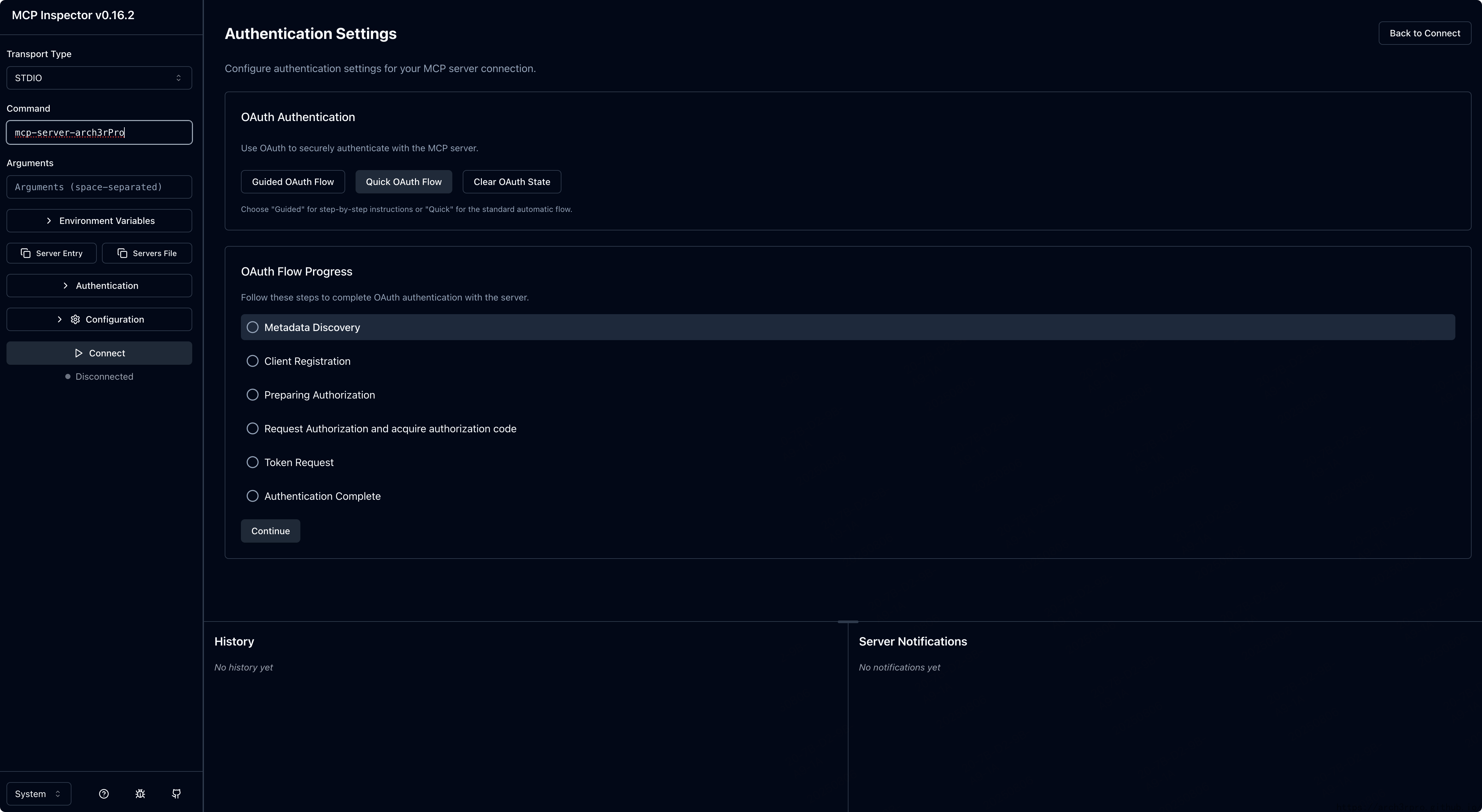
- 🔐 Authentication Handling - Support for OAuth flows and Bearer Token authentication
- 📊 Request/Response Inspection - Display detailed MCP protocol interactions
- ⚙️ Configuration Management - Persist user settings and connection parameters
- 💻 CLI Mode - Provide command-line interface for automation, scripting, and integration with AI coding assistants
💻 System Requirements
- Memory: At least 1GB RAM
- Storage: At least 500MB available space
- Network: Internet connection required to access MCP servers
🔧 Usage
-
After installing the application in 1Panel, configure the following parameters:
- Web UI Port: Default is 6274, can be changed as needed
-
After starting the application, access the Web UI via
http://your-ip:port -
Configure MCP server connection information in the Web UI:
- Enter the MCP server URL
- Select authentication type (None, Bearer Token, or OAuth)
- Configure the corresponding authentication information
-
Use the interface to explore and test MCP server functionality:
- View available tools and resources
- Send requests and view responses
- Debug MCP protocol interactions
🔍 Feature Details
Connection Management
MCP Inspector allows you to connect to any server compatible with the MCP protocol. You can:
- Save multiple server configurations
- Quickly switch between different servers
- Test connection status and response time
Capability Exploration
Explore various capabilities provided by MCP servers:
- View list of available tools and their parameters
- Browse accessible resources
- Test prompt templates
Authentication Handling
Support for multiple authentication methods:
- No authentication mode
- Bearer Token authentication
- Complete OAuth flow, including authorization and token refresh
Request/Response Inspection
Detailed analysis of MCP protocol interactions:
- View raw requests and responses
- Format JSON data
- Track request timeline
🛠️ Configuration Options
MCP Inspector provides various configuration options that can be set through the config.yaml file:
# Server settings
server:
  port: 3000
  https: false

# Client settings
client:
  defaultConnection:
    url: "http://localhost:8000"
    authType: "none"

# Logging settings
logging:
  level: "info"
  console: true